
“A little bit of clarity today can save the entire team a massive amount of ‘Wait, what?’ tomorrow.”
I vividly remember receiving a bug report that was incredibly “concise.” It simply read: “This feature is wrong.”
No context, no screenshots, no steps to reproduce. I spent hours testing different user roles and edge cases, only to find nothing. When I finally asked for details, I discovered the root cause: the developer and the reporter were talking about completely different user flows. We wasted half a day just figuring out if we were discussing the same problem.
That incident was a wake-up call. In an IT team, the core problem isn’t always embedded in the code. Very often, it starts with the dangerous assumption that we understand each other. Unclear communication can generate bugs and derail project timelines just as fast as writing bad code.
Here is a roundup of the top 5 communication mistakes I frequently encounter in IT workflows, and exactly how to fix them to boost your team’s efficiency.
❌ 1. Failing to Confirm Requirements Before Starting Work
In software development, there is a classic scenario: The Product Owner (PO) explains a feature, the Developer builds it based on a technical interpretation, and the QA Tester creates test cases on a completely different logic. Everything seems fine until the release date, when someone inevitably says: “Wait, why doesn’t this work like I thought it would?” 😅
The issue usually isn’t a lack of technical skills; it’s simply that nobody took a moment to align and confirm the shared mental model of the requirement.
💡 How to improve this: Instead of silently nodding during planning meetings, actively paraphrase the requirement. Try saying: “Just to make sure we are on the same page: when the user performs action A, the system should do B, correct?” Taking 10 seconds to ask this can save weeks of stressful rework. 👍
❌ 2. Using Vague and Unquantifiable Terminology
On platforms like Slack or Teams, it is easy to fall back on casual phrases like “I need this ASAP” or “I’m almost done.” These phrases sound agile ⚡, but they leave massive “blank spaces” that invite differing interpretations.
For instance, “ASAP” to a project manager might mean “right this second,” but to a developer deep in a coding session, it means “after my current priority task.”
💡 How to improve this: Prioritize specificity and measurable metrics. Eliminate the guesswork.
- Instead of saying “ASAP” → Say “I need this completed before 3:00 PM today.” 🕒
- Instead of saying “I’m almost done” → Say “I have finished coding, and it is waiting for code review.” ✅
Clear communication makes you much more accountable for your commitments. 💬
❌ 3. Not Providing Enough Context When Reporting Issues
A common “mild nightmare” for any developer is receiving a ticket that simply says: “This page is broken.” 😵
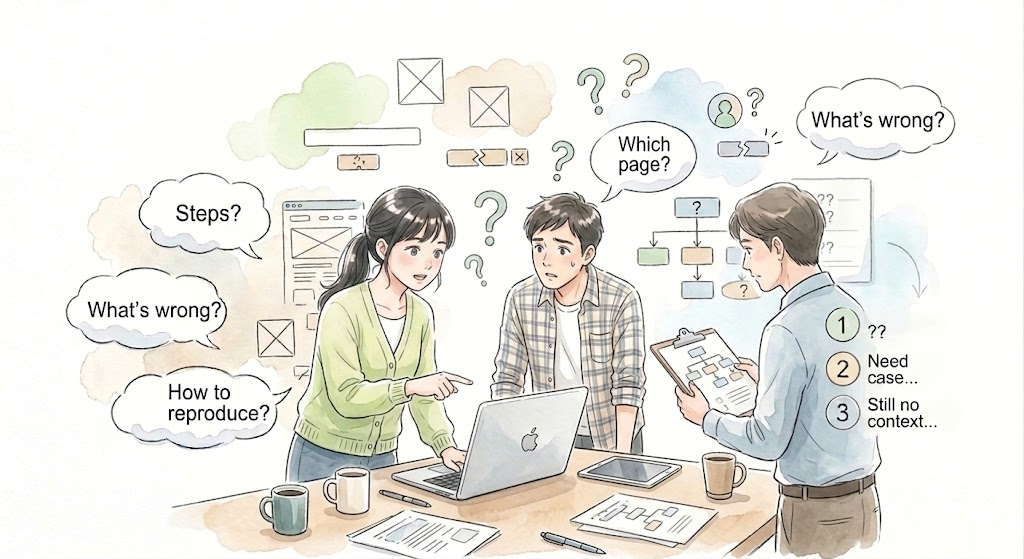
Immediately, questions flood the developer’s mind: Which page? What is the error code? How do I trigger it? When context is missing, the receiver is forced to play detective, naturally slowing down the entire troubleshooting process. 🐢
💡 How to improve this: Every bug report or feature request should contain a minimum baseline of information:
- Location: Clearly describe the specific screen or URL. 🖥️
- Steps to Reproduce: A numbered list of actions required to trigger the bug. 🔁
- Results: Expected Result vs. Actual Result. 📊
- Evidence: Attach screenshots or a video recording. 📸
The more comprehensive your context, the faster the developer can fix the issue. 🚀
❌ 4. Forgetting to Follow Up After Communicating
Many professionals operate under a dangerous assumption: “I reported it, so my job is officially done.”
In reality, effective communication is a loop. If a bug is reported but never followed up on, it might get buried in a busy chat channel, be mistakenly assumed as non-urgent, or get pushed down to a lower priority. 📉
💡 How to improve this: Take ownership and proactively track the progress of your requests with polite reminders. You can say: “Hi, just a quick reminder that I need the fix for this bug by 5 PM today. Could you check the status for me?” 🙏
Following up isn’t micromanaging; it’s a vital practice to ensure important tasks don’t fall through the cracks. 🤝
❌ 5. Hesitating to Ask Questions When Unsure
This is the “quietest” mistake, but it often causes the most damage. For psychological reasons—fear of bothering seniors or looking incompetent—many team members choose to stay silent and work based on assumptions. 🤔
The results are usually disastrous: building the feature completely wrong, wasting hours rewriting code, and negatively impacting the delivery schedule. 📅
💡 How to improve this: Normalize asking questions as an expected part of the daily workflow. Don’t be afraid to say: “I am not entirely clear on this part, could you please explain it in a bit more detail?” 🙋♀️ Asking the right question keeps the entire team aligned from day one. 🌱
🌿 Conclusion 🌟
Excellent communication significantly reduces costly mistakes, painful misunderstandings, and unnecessary rework.
In an IT environment, true technical proficiency isn’t just about writing complex algorithms; it is equally about your ability to transmit information clearly. 💡 Altering a few minor habits in how we talk and write can dramatically improve the working efficiency of the whole team. 🚀
Always remember this golden rule: “Code can either run correctly or fail, but communication should always be perfectly clear from the very beginning—so we don’t end up having to debug… each other.” 😄
🔁🚀 Struggling with communication issues in your IT team? Let’s fix it together.
Unclear requirements, vague bug reports, and misalignment can silently slow down your entire project. But with the right approach, you can turn communication into a powerful advantage.
👉 Get in touch with us today: https://linnoedge.com/contact/
We’re here to help you build a more efficient, aligned, and high-performing team. 💡